Sales Report (Reports)
The Sales Report panel provides a list of all items that were sold (e.g., washes, added services, wash codes). It can be generated for the current business day, previous day or for a user-specified date range, as well as a specific payment device or all payment devices. A generated report can be printed or exported to a CSV file for using with a third-party accounting application, such as Microsoft Excel.
Sales Report Settings
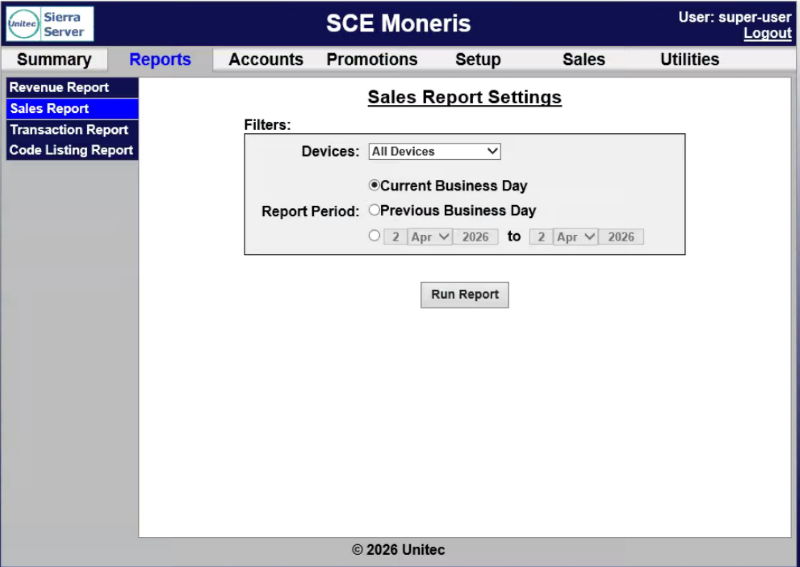
The Sales Report Settings panel provides report parameters for generating the report.
Devices
The Devices setting provides the ability to generate the report for a specific payment device or all devices.
Report Period
The Report Period setting provides the ability to generate the report for the current day, previous day, or a date range.
Current Business Day
The Current Business Day setting provides the ability to generate the report for the current day.
Previous Business Day
The Previous Business Day setting provides the ability to generate the report for the previous day.
Date Range
The Date Range setting provides the ability to generate the report for a user-specified date range, from one selected day, month, and year to another selected day, month, and year.
Run Report
The Run Report function generates the Sales Report for the selected settings.
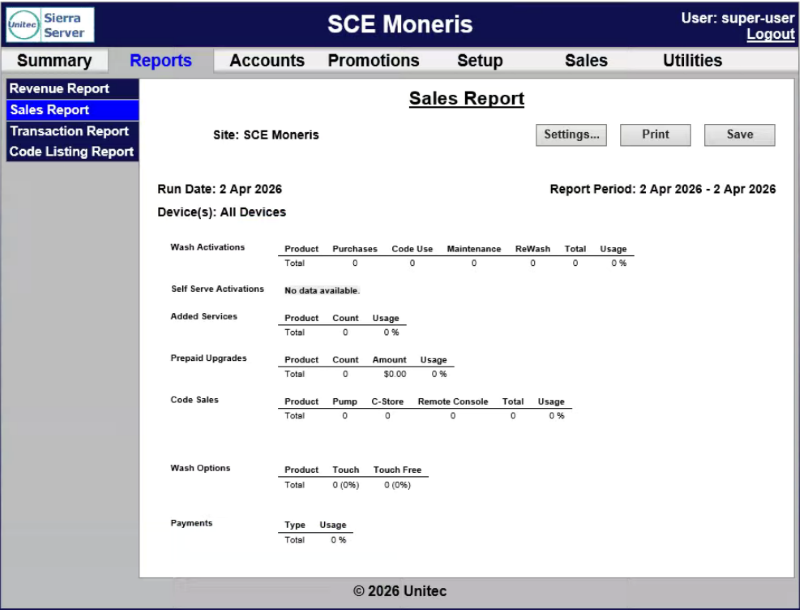
Sales Report Data
The Sales Report data is organized in a table, by device, with corresponding data for each sales category in the generated report.
Wash Activations
The Wash Activations row provides a count of washes dispensed, broken down by wash type, and includes washes dispensed using codes or maintenance accounts. The usage metric shows the percentage of activations for each wash type.
Self Serve Activations
The Self Serve Activations row provides self-serve wash packages by purchase type - cash, credit, house account, or maintenance account.
Added Services
The Added Services row provides a count of added services that were purchased, broken down by service type. The usage metric shows the percentage of customers that selected the service.
Prepaid Upgrades
The Prepaid Upgrades row provides a count of and dollar amount earned for upgrades purchased with a wash package. The usage metric shows the percentage of activations for each wash type.
Code Sales
The Code Sales row provides a count of code sales, by POS device: pump, c-store register, or remote console. The usage metric shows the percentage of activations for each wash type.
Wash Options
The Wash Options row provides a count of wash option sales by product. The usage metric shows the percentage of touch and touch free options.
Payments
The Payments row provides a list of payment methods used with the percentage of use (based on $ value).
Updated: 042726