Revenue Report (Reports)
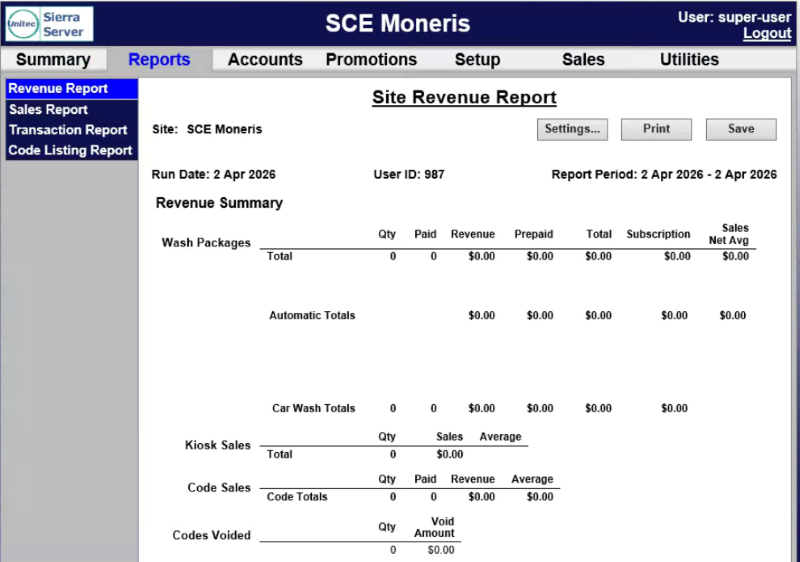
The Site Revenue Report panel provides revenue at a summary level for a user-defined time period. It can be generated for the current business day, previous day, or for a user-specified date range. A generated report can be printed or exported to a CSV file for using with a third-party accounting application, such as Microsoft Excel.
Revenue Report Settings
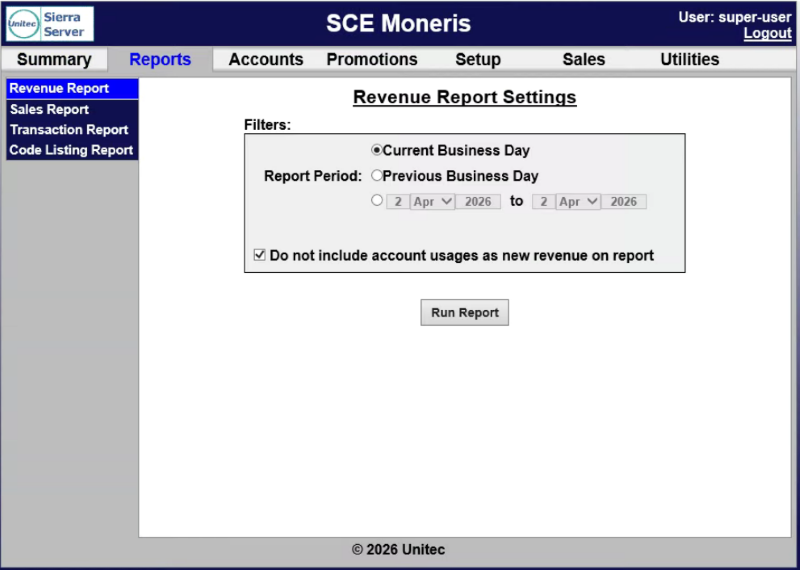
The Revenue Report Settings panel provides report parameters for generating the report.
Report Period
The Report Period setting provides the ability to generate the report for the current day, previous day, or a date range.
Current Business Day
The Current Business Day setting provides the ability to generate the report for the current day.
Previous Business Day
The Previous Business Day setting provides the ability to generate the report for the previous day.
Date Range
The Date Range setting provides the ability to generate the report for a user-specified date range, from one selected day, month, and year to another selected day, month, and year.
Do not include account usages as new revenue on report
The Do not include account usages as new revenue on report setting provides the ability to include or exclude account usage(s) as new revenue on the generated report.
Run Report
The Run Report function generates the Revenue Report for the selected settings.
Revenue Report Data
The Revenue Report data is organized in a table, with corresponding data for each revenue category in the generated report.
Revenue Summary
The Revenue Summary section provides a wash count, breakdown of purchased and pre-paid transactions, and average sales value. The prepaid column includes prepaid house accounts and 3rd party gift cards. Added services and self-serve (if applicable) totals are also displayed.
Average sales metrics are provided with and without discounts applied and the value of all discounts is identified. This value includes promotions and any discounts provided to fleet customers.
Code Sales
The Code Sales section provides a breakdown of washes purchased from the pumps and registers.
Account Sales
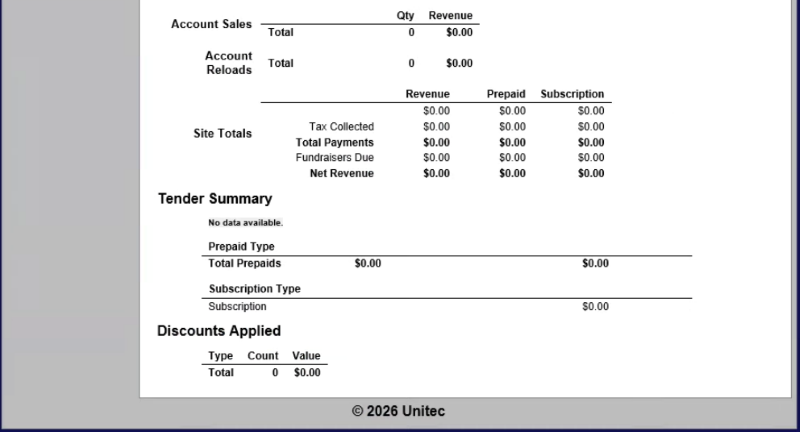
The Account Sales section provides a breakdown of accounts offered on the sales screens.
Account Reloads
The Account Reloads section provides a breakdown of accounts that were re-purchased at the sales screen.
Site Totals
The Site Totals section provides the total of all revenue, prepaid accounts, and subscription accounts (if any).
Tax Collected
The Tax Collected row provides the total taxes charged for credit purchases (if required by the site's tax authority).
Total Payments
The Total Payments row provides any amounts from payments.
Fundraisers Due
The Fundraisers Due row provides any amounts due from the use of fundraiser promotion types.
Net Revenue
The Net Revenue row provides the net revenue, with taxes and fundraisers subtracted from the previous sales totals.
Tender Summary
The Tender Summary section provides a breakdown of the payment types submitted, included credit card type, cash, external fleet, prepaid cards or accounts, and subscriptions.
Discounts Applied
The Discounts Applied section provides the type of discount and monetary value of the discount.
Updated: 042726