Sales
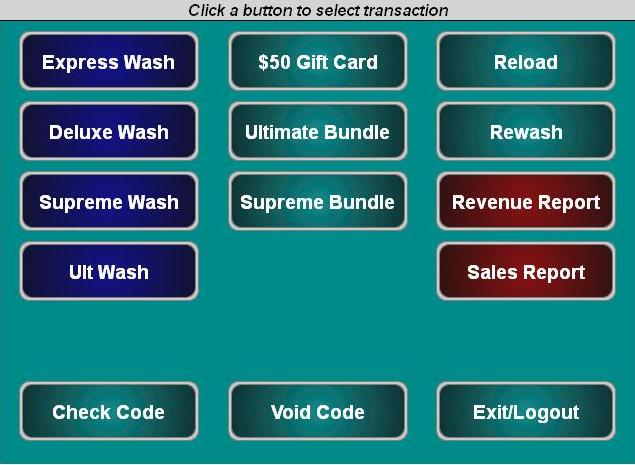
The Sales page provides a point-of-sale console. A screen must be configured in the POS Interface (Setup) panel for the console to open.
Access: To provide an employee access to only the Sales page, assign the user account with the following access permissions:
- Accounts and Promotions
- Code and Account Sales
Sales Screen
The Sales page function keys are color-coded.
- Blue: Wash products
- Red: Reports
- Teal: Accounts (gift cards, wash bundles), reload, rewash, check code, void code, and exit/logout functions
Updated: 042726