Activation Codes (Setup)
The Activation Codes panel provides the ability to view or delete existing activation codes, as well as add new activation codes.
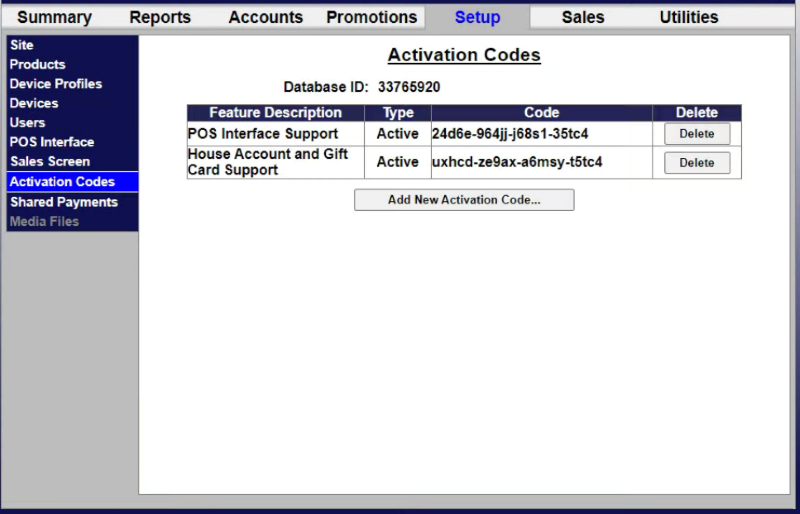
Existing Activation Codes List
The configured activation codes for a site are listed in a table on the Activation Codes panel. It includes functions to delete an existing activation code.
Feature Description
The Feature Description column provides summarized text to help identify the activation code.
Type
The Type column provides the status of the activation code, for example, Active.
Code
The Code column provides the code, for example, 24d6e-964jj-j68s1-35tc4.
Delete
The Delete column provides a Delete function remove the corresponding activation code from the system.
Add New Activation Code...
The Add New Activation Code... function creates a new activation code.
Updated: 042726